Page 1 of 1
Question about a feqture in STKO
Posted: Fri May 28, 2021 7:00 am
by youngkyu
Dear support team members,
I wonder if SKTO has a feature to identify node ID and Element ID as attached figure below.
This figure shows the feature available from another finite element software.
I looked at the SKTO manual, however, I could not find that information.
The reason why I need this feature is that
I want to only make the output files at specific locations of my interest when using custom recorder
such as
"eval "recorder Element -file Gstress.out -time -ele 20 35 stress 3"
"eval "recorder Node -file acceleration.out -time -node 6 3 4 -dof 1 accel"
Best,
Youngkyu
Re: Question about a feqture in STKO
Posted: Fri May 28, 2021 8:27 am
by marafini.f
Dear youngkyu,
I wish there was, it has been on my wish list since I started here in Asdea 6 months ago. We will develop something similar soon, and will keep you posted.
What you can do for now is use a combination of hide/show and display label commands from the quick toolbar. If you isolate the elements you want to ID then you can display the labels only on them. I know it's not a solution to your problem.
Be sure I'll advocate for this tool to come out soon

Enjoy your modeling
Francesca =)
Re: Question about a feqture in STKO
Posted: Fri May 28, 2021 11:23 am
by marafini.f
Given that we don't like problems to go unsolved. Dr. Petracca developed this super quick script you can use to find the node or element closer in reference to a given position. You can use this script in the Python interface of STKO, and change it, extend it at will. For example, you could decide to search in an area to obtain the id of a larger number of nodes.
Imagine you have this meshed geometry:
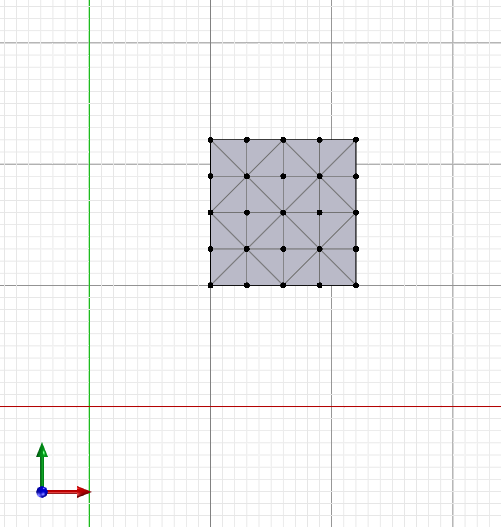
- Immagine 2021-05-28 125818.png (17.08 KiB) Viewed 4919 times
This is what you see when you turn on the labels:
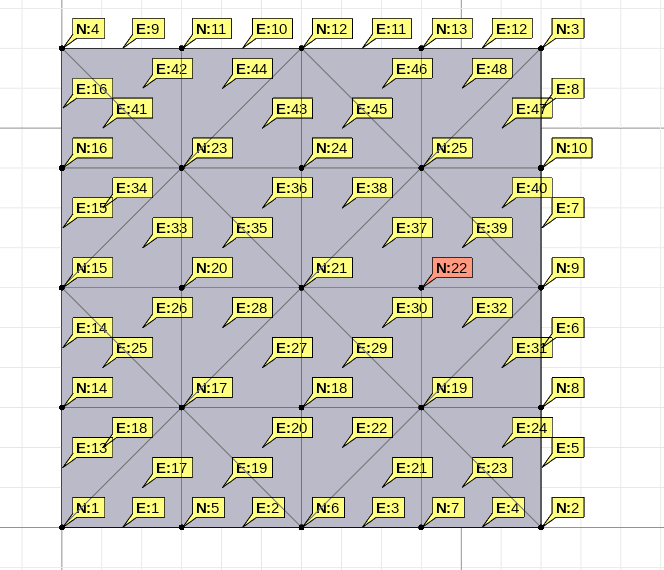
- 2.png (54.3 KiB) Viewed 4919 times
You want to find the closes node or element to the red dot position, know to be 2000,2000,0:
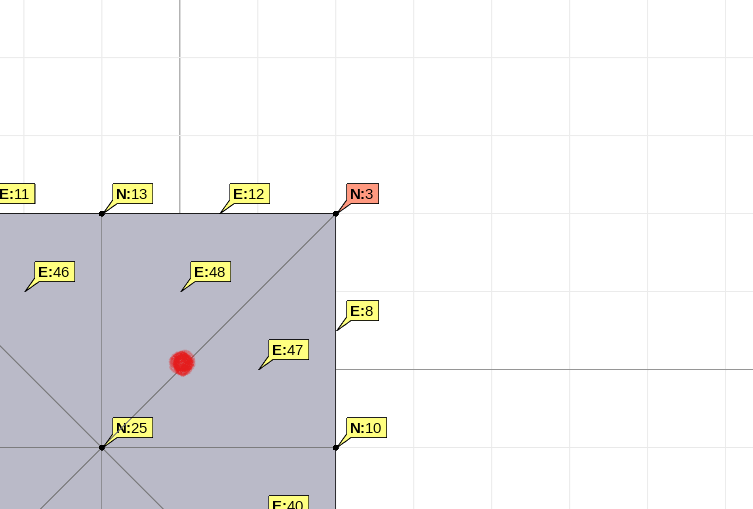
- 3.png (16.09 KiB) Viewed 4919 times
Import your script and run it:
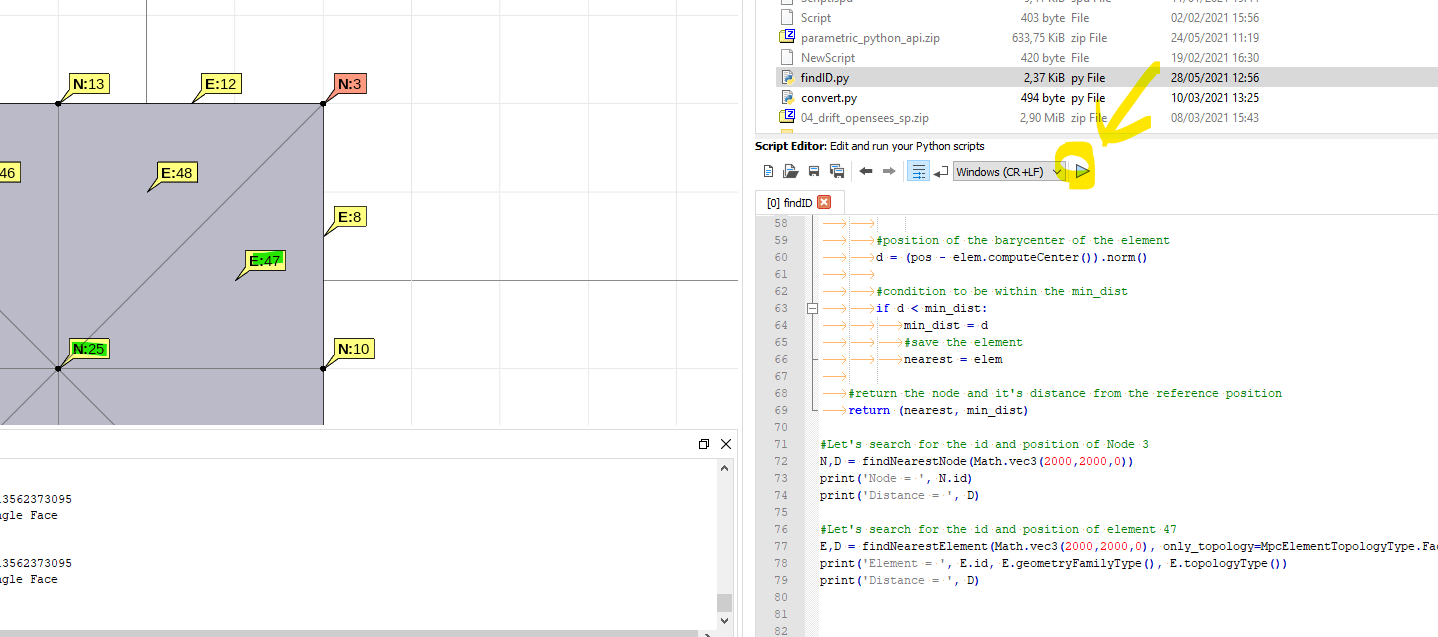
- 4.png (79.89 KiB) Viewed 4919 times
Here is the script:
Code: Select all
#Import the PyMpc package to interact with STKO
from PyMpc import *

#Call the open .scd document
doc = App.caeDocument()

#Call the mesh
mesh = doc.mesh


"""Function to find the nearest node given a specific position."""
def findNearestNode(pos):
	'''
	pos is a Math.vec3, a vector with 3 coordinates
	'''

	#define a minimum distant for your search
	min_dist = 1.0e16

	#initialize a variable to store your nearest element
	nearest = None

	#iterate over the nodes if they are positioned within the defined minimum distance
	for _, node in mesh.nodes.items():
		#position of the nodes
		d = (pos - node.position).norm()
		#condition to be within the min_dist
		if d < min_dist:
			min_dist = d
			#save the node
			nearest = node
	#return the node and it's distance from the reference position
	return (nearest, min_dist)


"""Function to find the nearest element given a specific position. The search is operated in reference to the element barycenter position.
You can specify if the element is of a specific topology, for example[attachment=0]4.png[/attachment] to exclude edges or faces from the search."""
def findNearestElement(pos, only_topology = None):
	'''
	pos is a Math.vec3, a vector with 3 coordinates
	'''

	#define a minimum distant for your search
	min_dist = 1.0e16

	#initialize a variable to store your nearest element
	nearest = None

	#iterate over the elements if they are positioned within the defined minimum distance
	for _, elem in mesh.elements.items():

		#if you did define the topology
		if only_topology is not None:

			#skip over the elements with topologies different from the one specified
			if elem.topologyType() != only_topology:
				continue

		#position of the barycenter of the element
		d = (pos - elem.computeCenter()).norm()

		#condition to be within the min_dist
		if d < min_dist:
			min_dist = d
			#save the element
			nearest = elem

	#return the node and it's distance from the reference position
	return (nearest, min_dist)

#Let's search for the id and position of Node 3
N,D = findNearestNode(Math.vec3(2000,2000,0))
print('Node = ', N.id)
print('Distance = ', D)


#Let's search for the id and position of element 47
E,D = findNearestElement(Math.vec3(2000,2000,0), only_topology=MpcElementTopologyType.Face)
print('Element = ', E.id, E.geometryFamilyType(), E.topologyType())
print('Distance = ', D)
You will obtain a print of this in the terminal:
Code: Select all
Node =  3
Distance =  141.4213562373095
Element =  47 Triangle Face
Distance =  100.0
Node =  25
Distance =  141.4213562373095
Element =  47 Triangle Face
Distance =  100.0
Try to play with the script to obtain what you wanted and let us know if you need help.
Enjoy your modeling.
Francesca =)
Re: Question about a feqture in STKO
Posted: Sun May 30, 2021 1:15 pm
by youngkyu
Dear support members,
I really appreciate your quick response and solution.
That really helps my preference and I will actively use that.
Best,
Youngkyu
Re: Question about a feqture in STKO
Posted: Thu Jun 03, 2021 7:43 am
by admin
Dear Youngkyu,
Glad we could help!
Enjoy your modelling.
Francesca =)
Re: Question about a feqture in STKO
Posted: Thu Jul 08, 2021 11:00 am
by youngkyu
Hello team member,
I forgot to ask a quick question.
I wonder how I can turn on the labels as you showed the figure above.
I also wanted to look up the numbers of all the nodes and elements like you displayed.
(all numbers corresponding to nodes and elements show up in the rectangular geometry)
Best,
Youngkyu
Re: Question about a feqture in STKO
Posted: Thu Jul 08, 2021 12:34 pm
by Clarabella
Here the explanation. Please check also the manual
Regards

- Presentation1.png (248 KiB) Viewed 4830 times